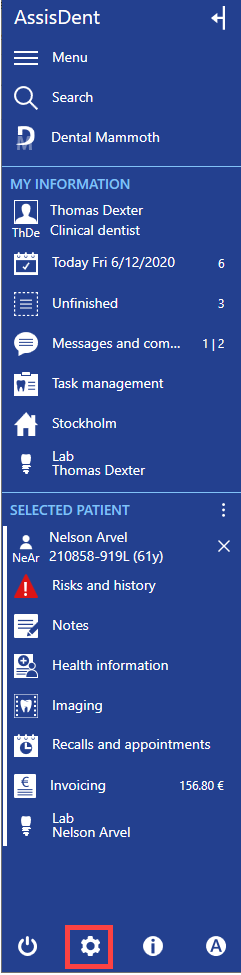
When a payment terminal has been installed into the computer, it can be connected to AssisDent in system settings. AssisDent is currently compatible with Nets iPP350 payment terminals, Yomani ML terminals and Nets Viking iPP350 payment terminals.
Select System settings on the bottom of the control panel.
Please note: Payment terminal settings are computer-specific, and they must be set separately on the Local settings tab on each computer which the payment terminal is used on.
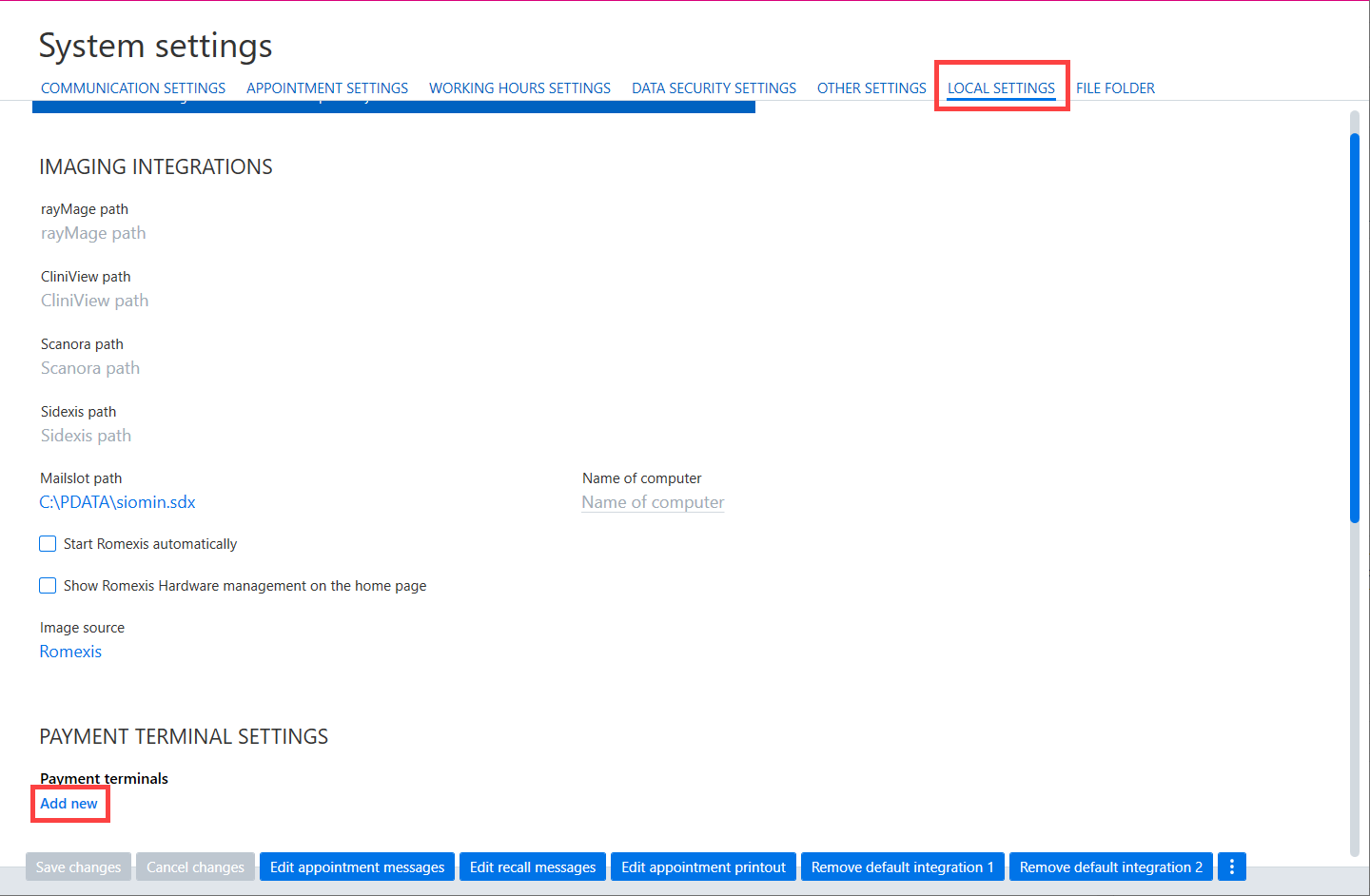
Select Local settings and select Add new below the Payment terminal settings heading.
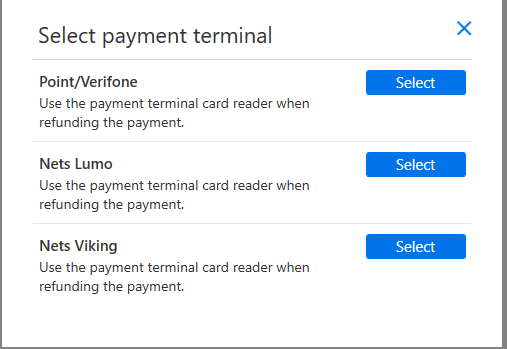
Select the payment terminal by clicking Select.
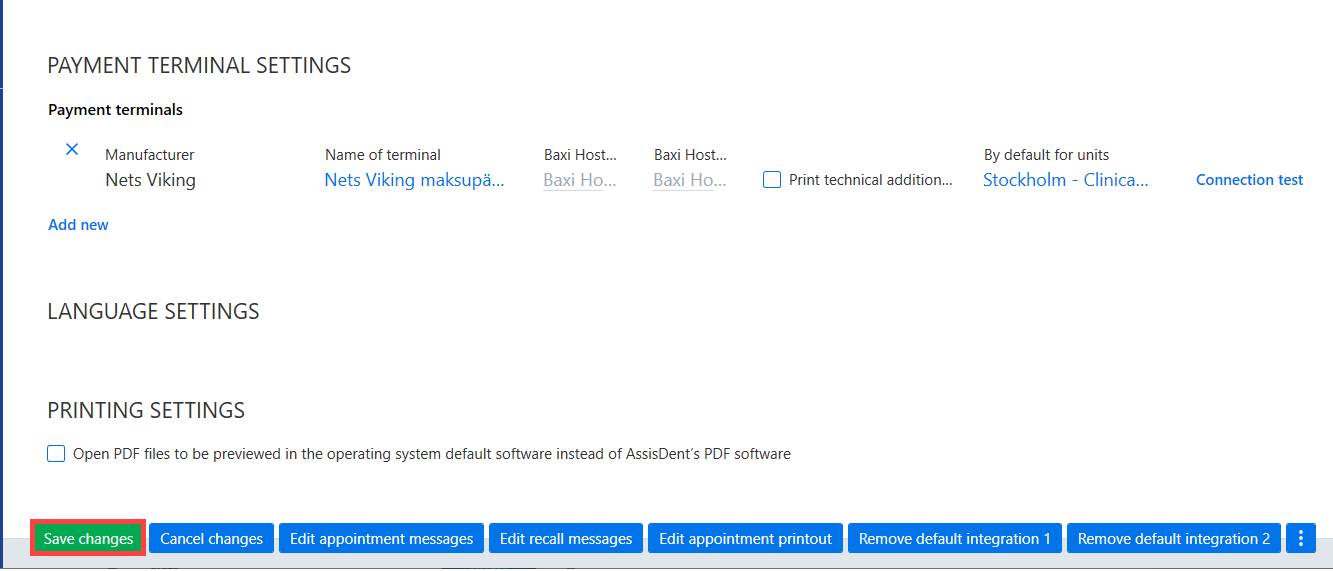
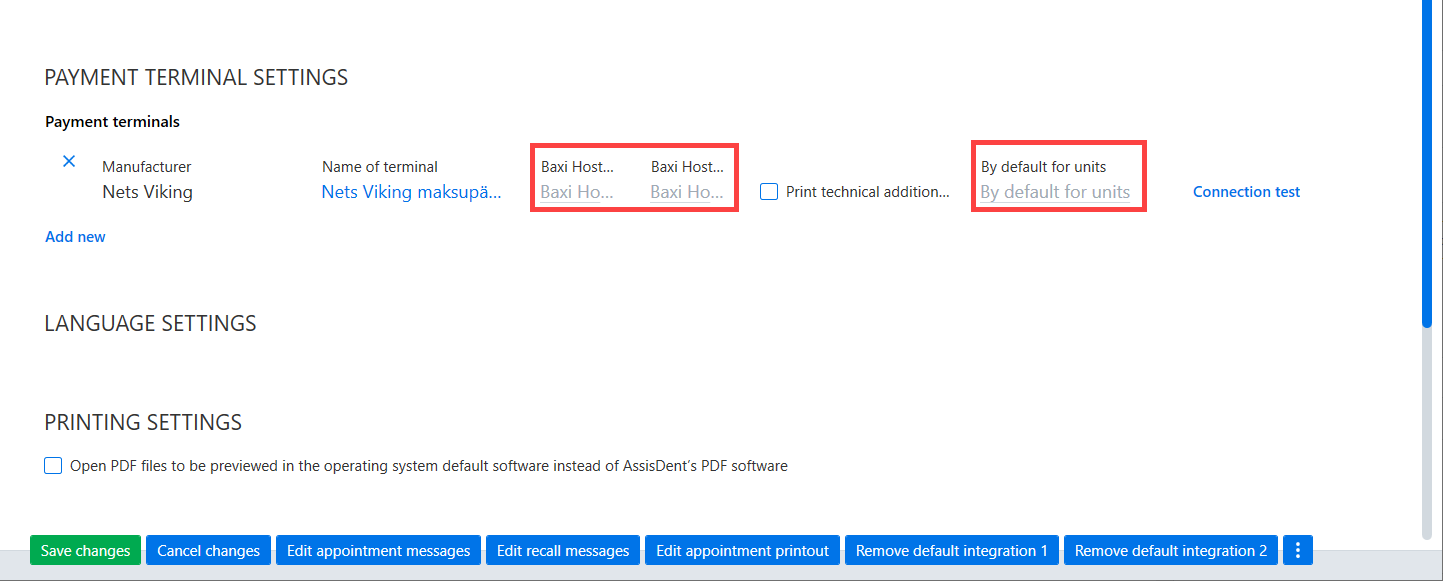
Select other necessary settings:
- Print for technicial additional information option is used for adding technical information to the receipt.
- You can select a payment terminal as the default terminal for a certain unit with the By default for units field.
After entering all necessary information, select Connection test.
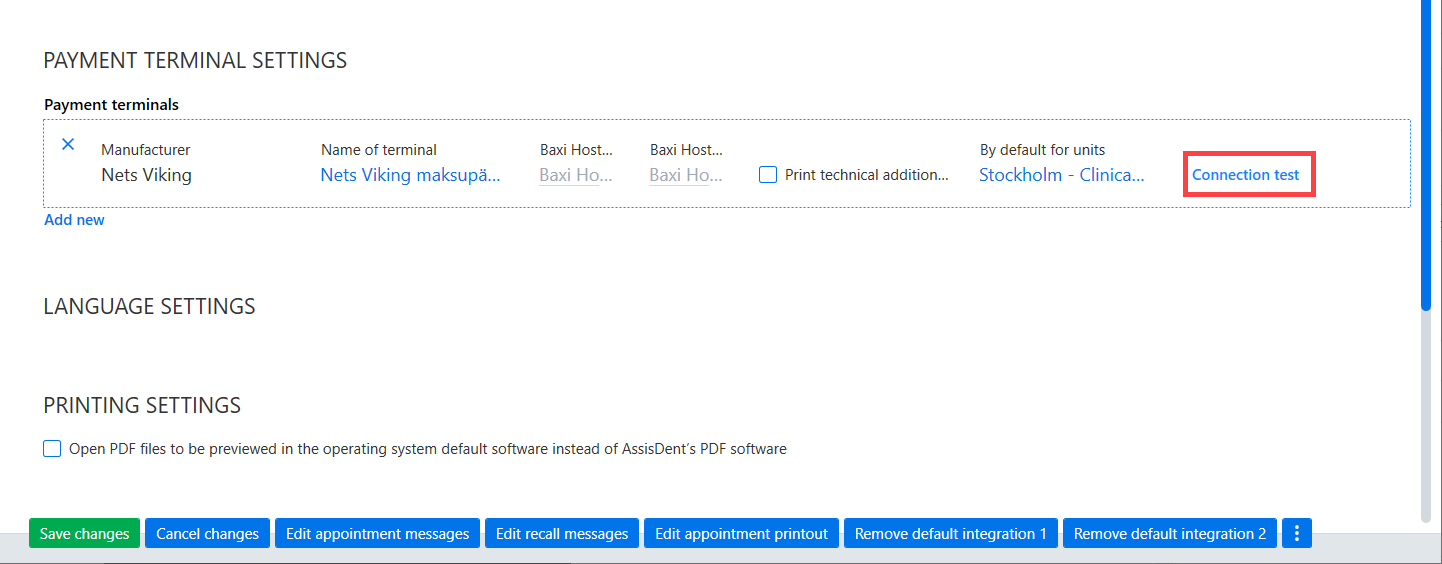
If the terminal was found, Connection successful will be displayed. Finish by selecting Save changes.