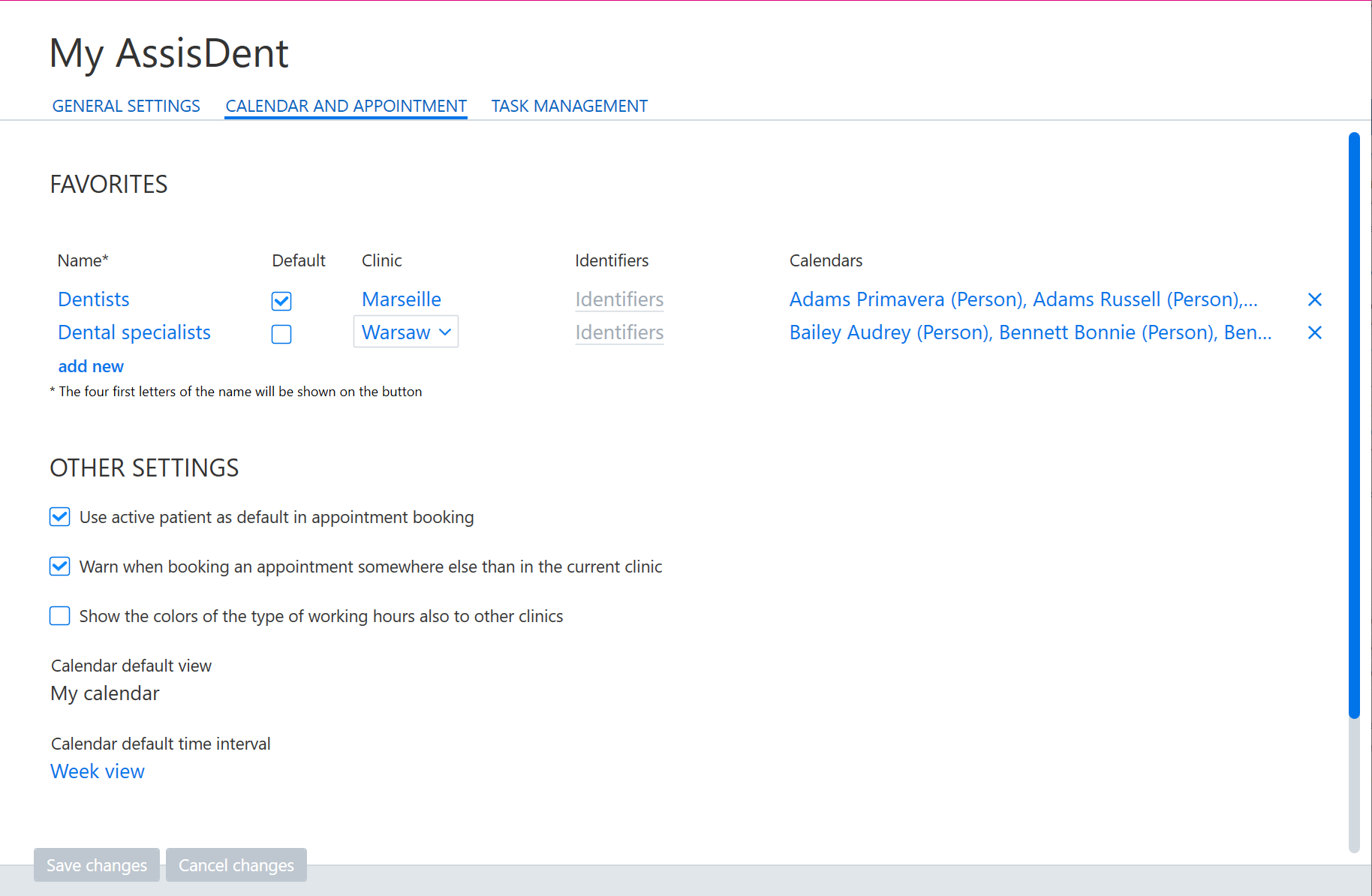
My AssisDent settings include the following calendar settings:
- Favorite functions displayed on the calendar (detailed instructions can be found here)
- Calendar default view and period
- Automatic selection of a patient open in the control panel for an appointment
- Warning displayed if an appointment is booked for a clinic other than a clinic open in the control panel
- Display of the color-coded working hours of other clinics
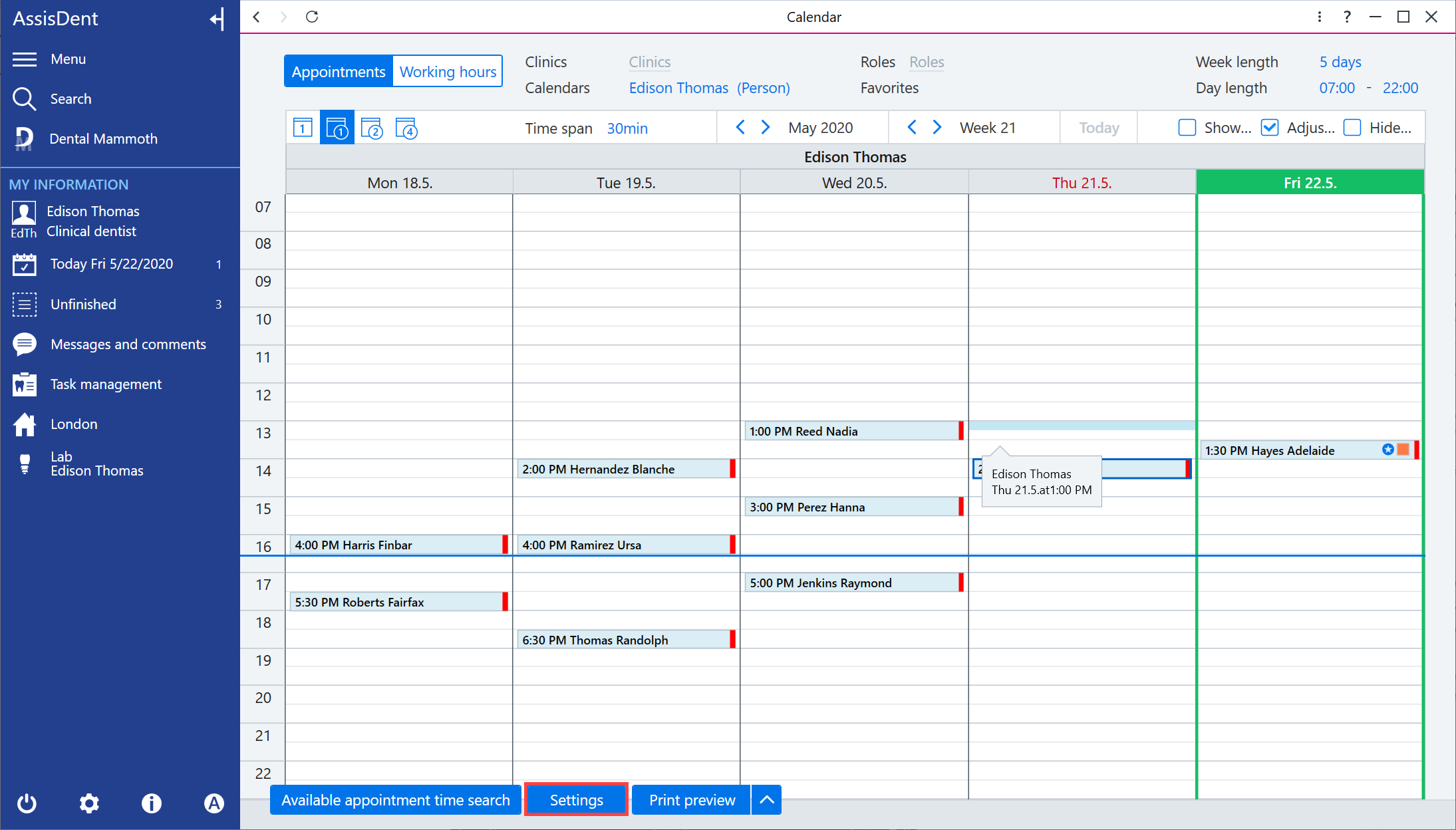
You can access the appointment calendar settings by selecting Settings on the bottom of the calendar.
The settings are located on the Calendar and appointment tab.
The settings are user-specific, meaning that any settings adjusted will only have an effect on the currently logged in user.