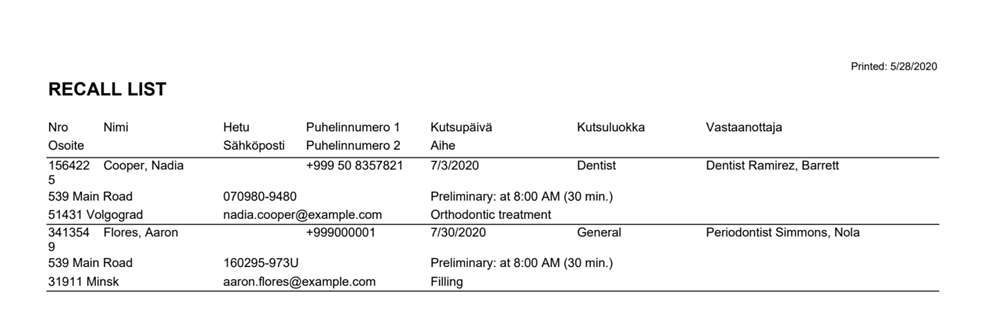
A recall list shows the details of the recalled patient, the recall, and the related appointment. The recall list can be printed in either landscape or portrait orientation. This can be set in the My AssisDent settings.
The recall list can be printed out from the recall register. You can access the recall register from the home page.
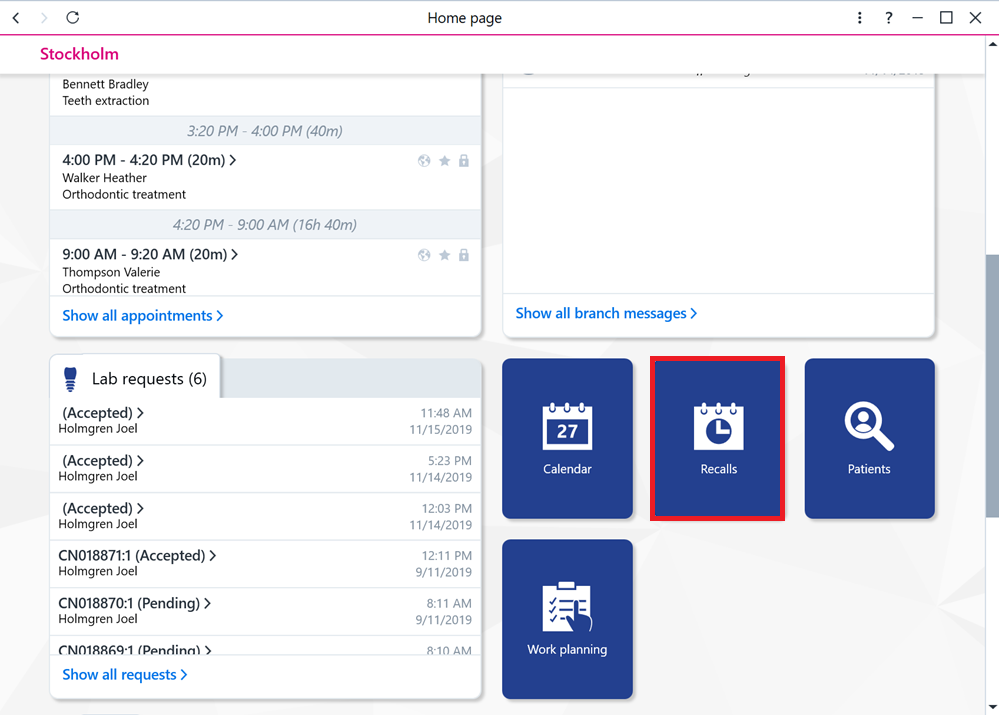
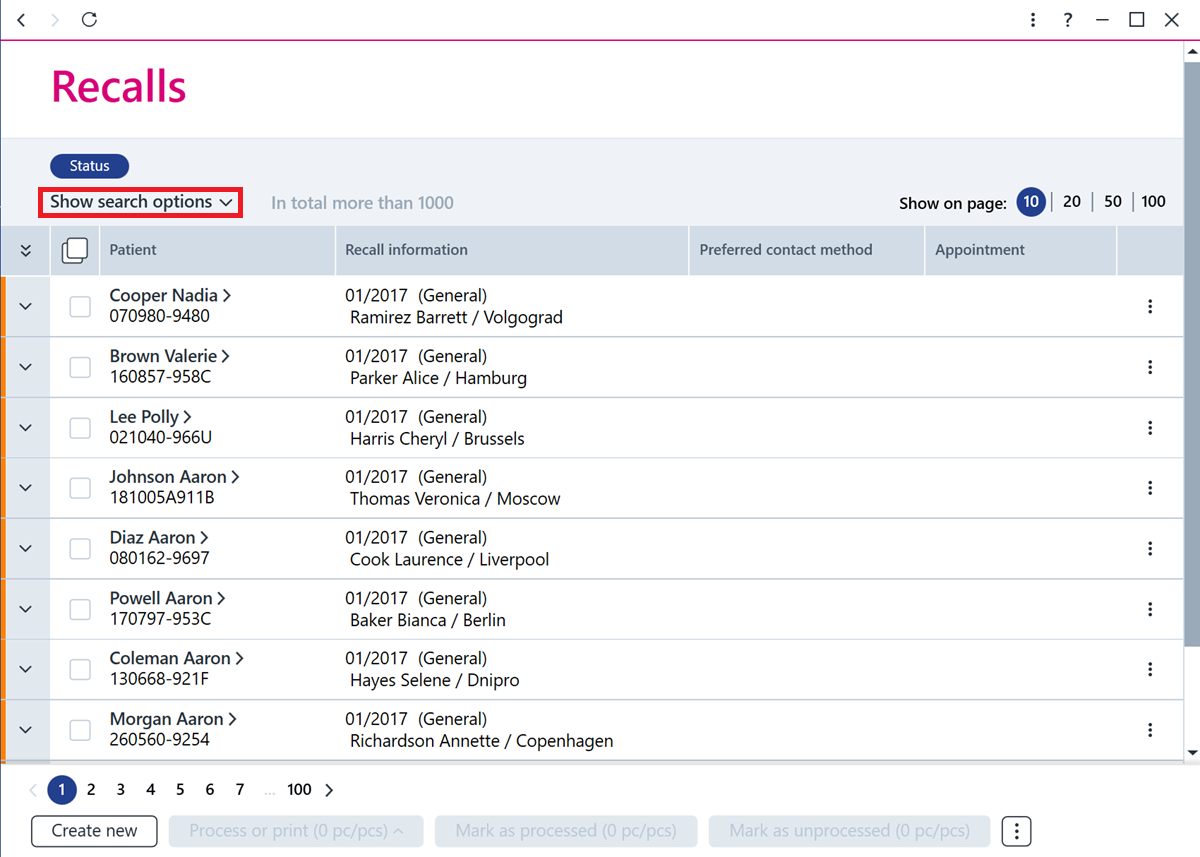
Next, search for the recalls you want and select them.
More detailed search criteria can be used to limit the search results.
The rows can be selected individually or you can use the button at the top to select them all.
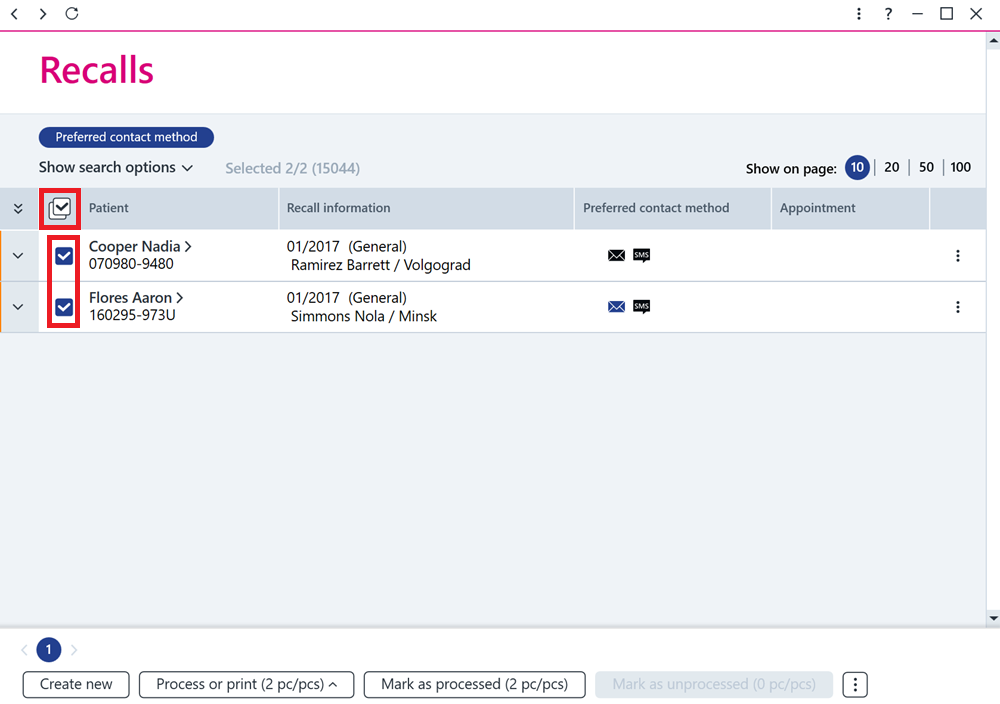
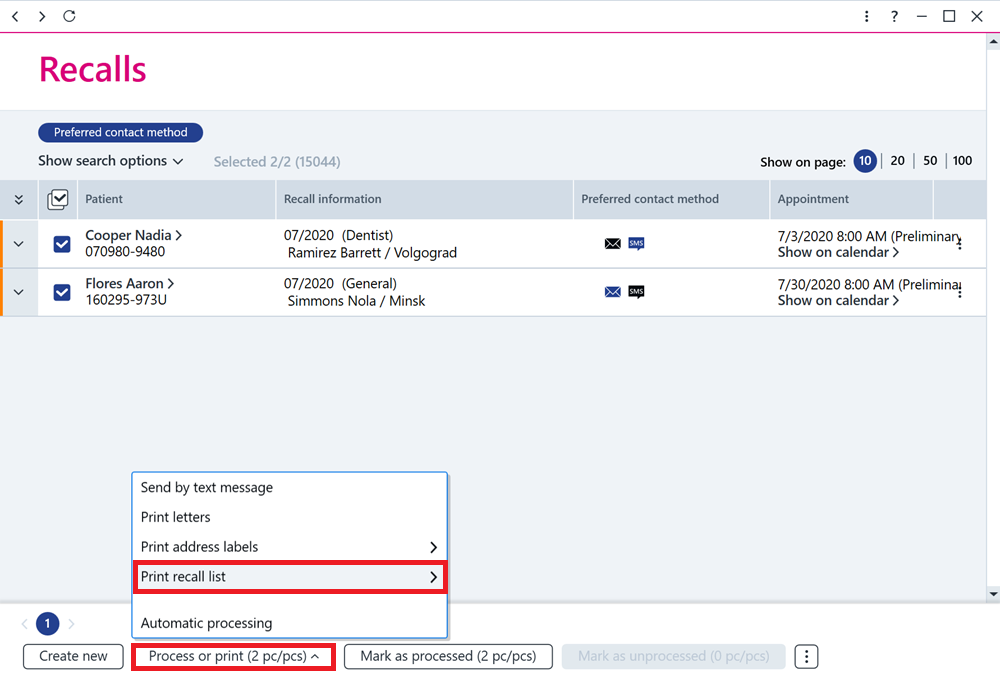
Once the recalls have been selected, click the Process or print button at the bottom and select the appropriate print option under Print recall list.
The recall list includes information such as the patient's contact details, the recall details, and the details of any appointment connected to the recall.