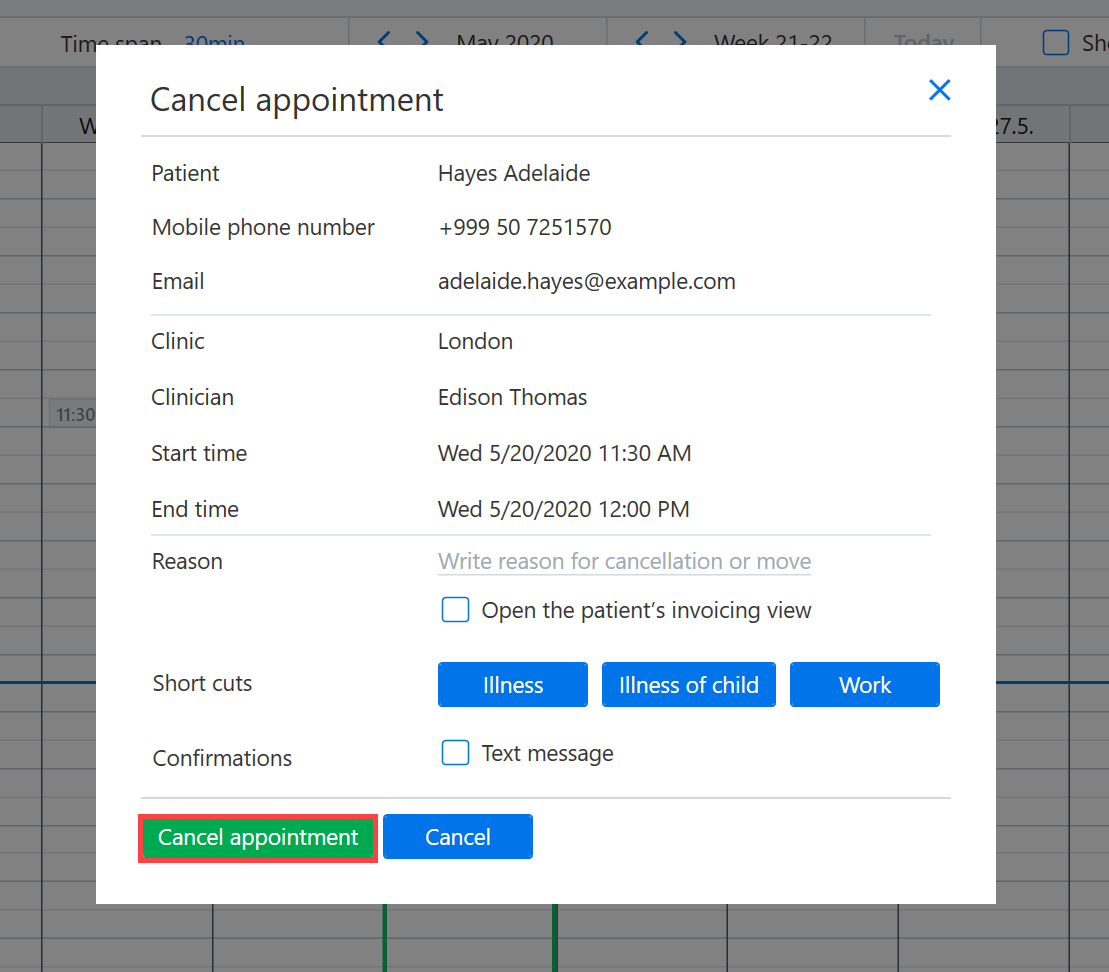
Open the booking calendar (Today → Calendar) and navigate to the desired appointment.
Right-click on the appointment and select Cancel Appointment. Alternatively, you can also delete the appointment by left-clicking once and then pressing the Del or Delete key on the keyboard.
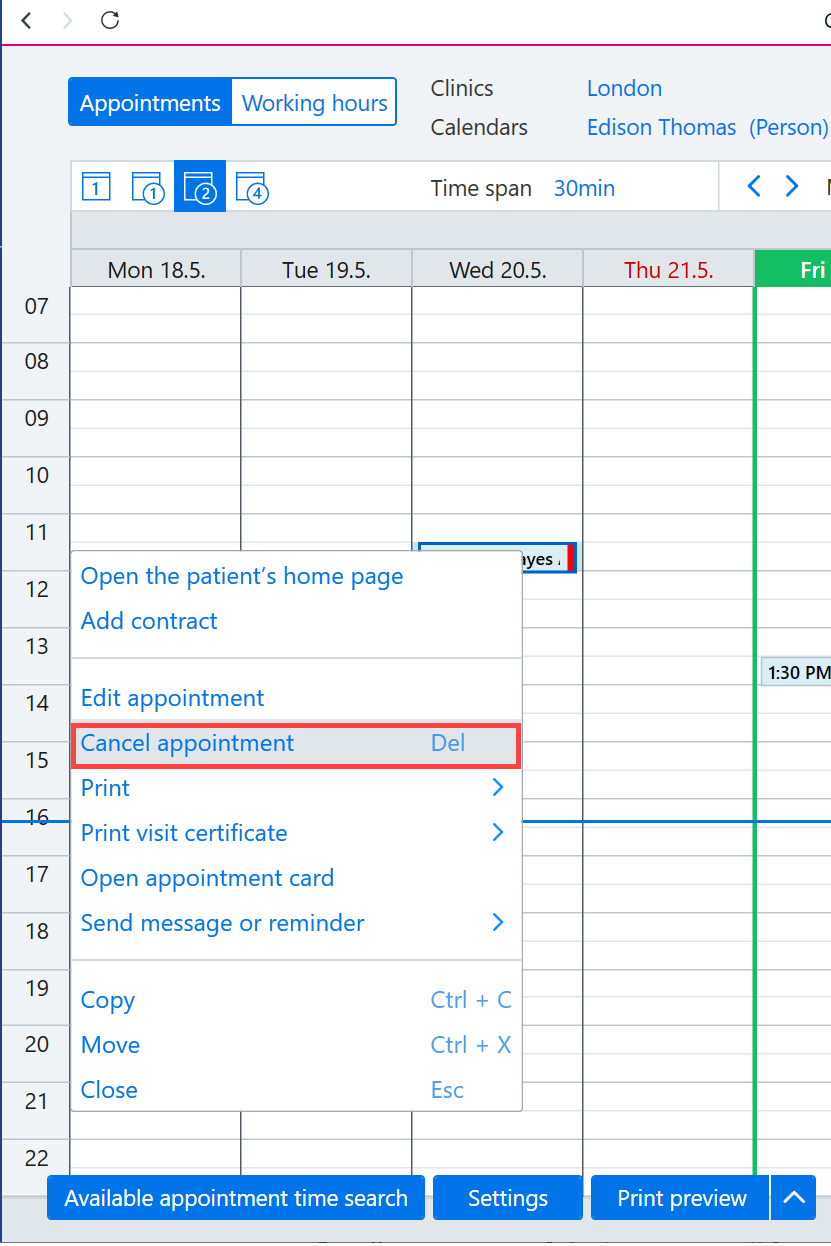
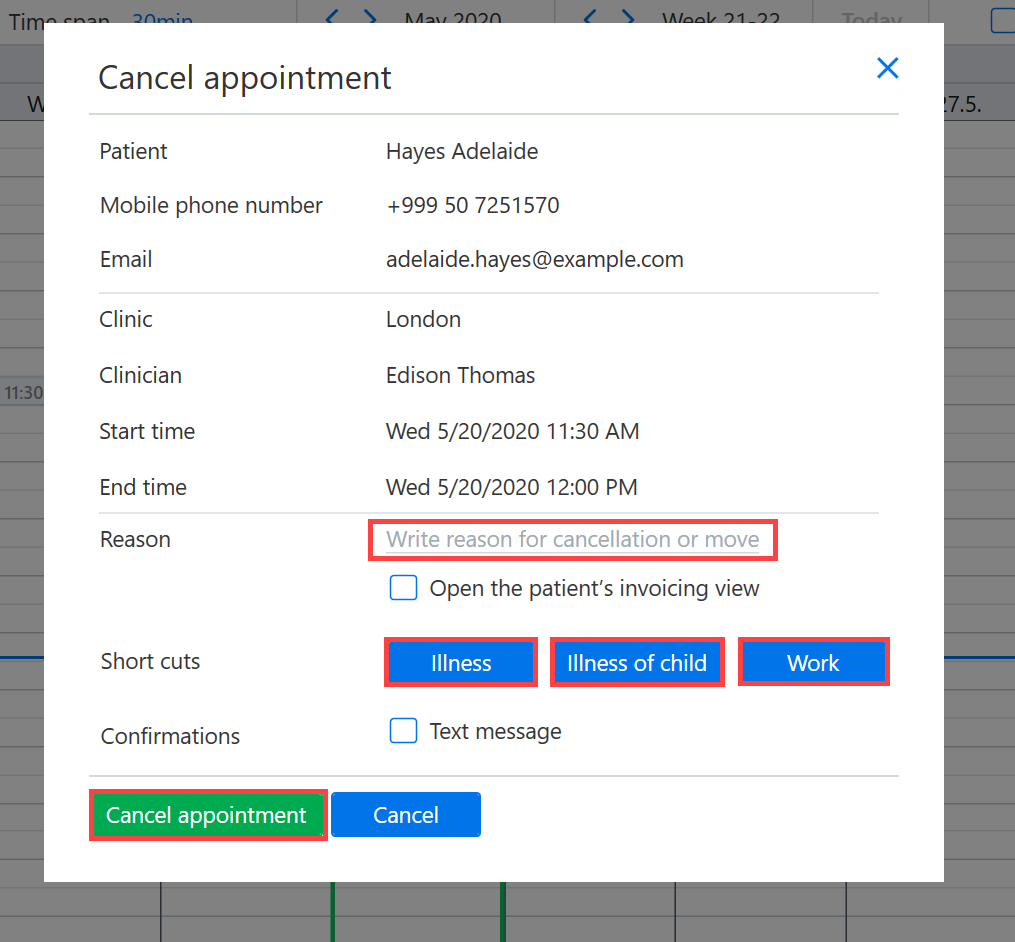
You will then be asked to confirm that you want to delete the appointment. Note! If the appointment is preliminary, the dialog boxes below are not displayed.
A reason can be given for why the appointment was canceled.
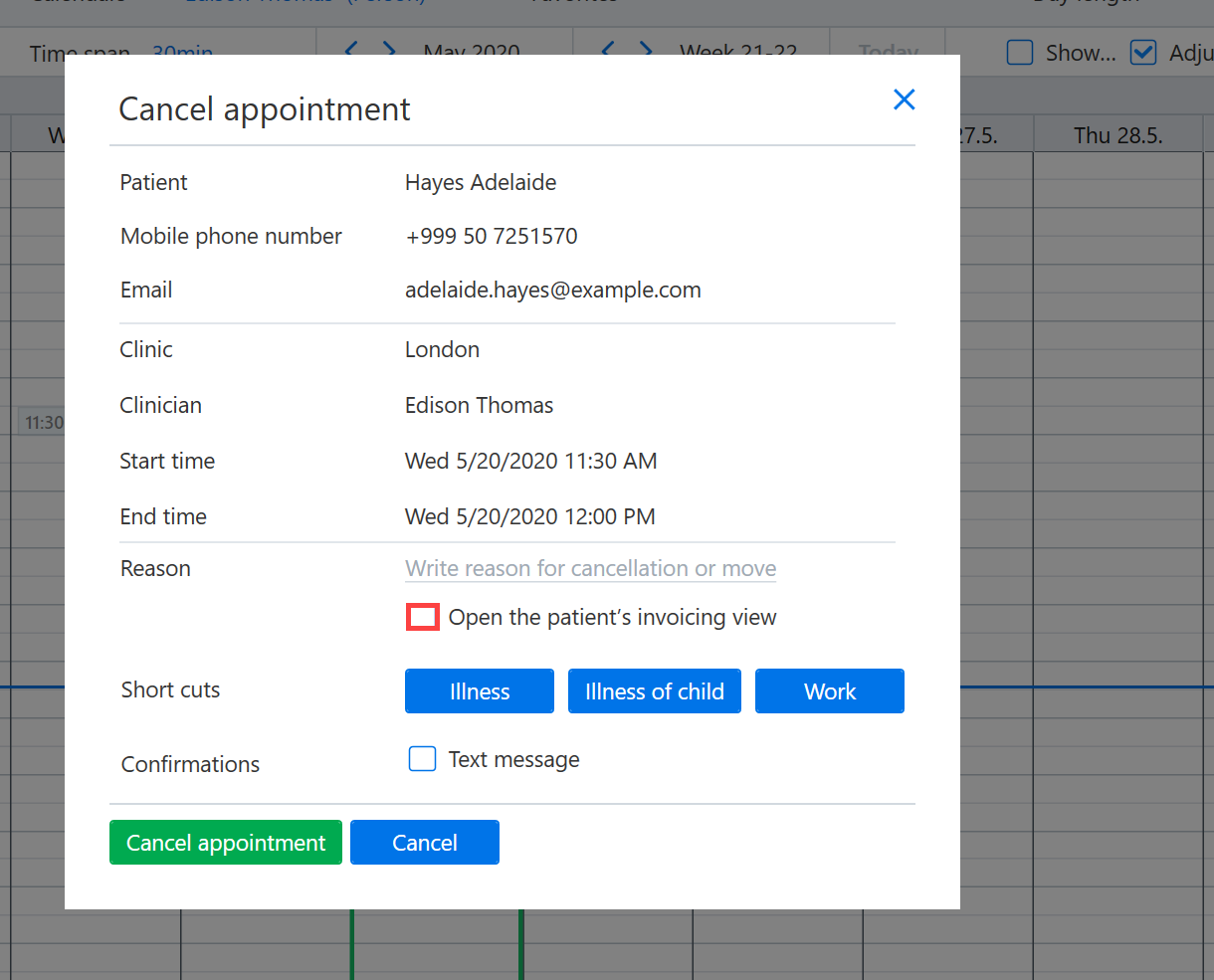
If, after canceling the time, you want to go directly to the patient's invoicing view, for example in order to add a cancellation fee, check the box Open the patient's invoicing view.
Finally, confirm the cancellation by selecting Cancel appointment.