First, open the employee’s card. Near the bottom of the card is the heading Reasons for seeking treatment.
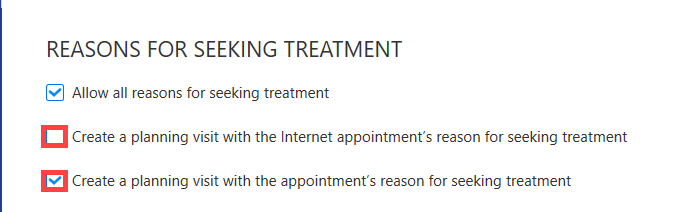
If the setting Allow all reasons for seeking treatment is enabled, then all reasons for seeking treatment that are permitted for the employee’s role will automatically be available for use.

The setting Create a planning visit with the appointment's reason for seeking treatment can be used to automatically generate for the clinician a planned visit for the patient based on the appointment.
The setting Reasons for seeking treatment in use at the clinic determines whether the employee has reasons for seeking treatment enabled at the clinic in question.

The setting Use internet reasons for seeking treatment allows the clinician to book an appointment at the clinic in question also via an internet appointment. The system settings must also include default reasons for seeking treatment suitable for the user's role, and the employee must have been provided with working hours that can be booked online in order for the user to appear in the internet appointment.

If the user wants to make an exception regarding the reasons for seeking treatment, this can be enabled in the settings specific to the reason for seeking treatment (for example, a particular clinician does not use a particular reason for seeking treatment at all in a different clinic).
