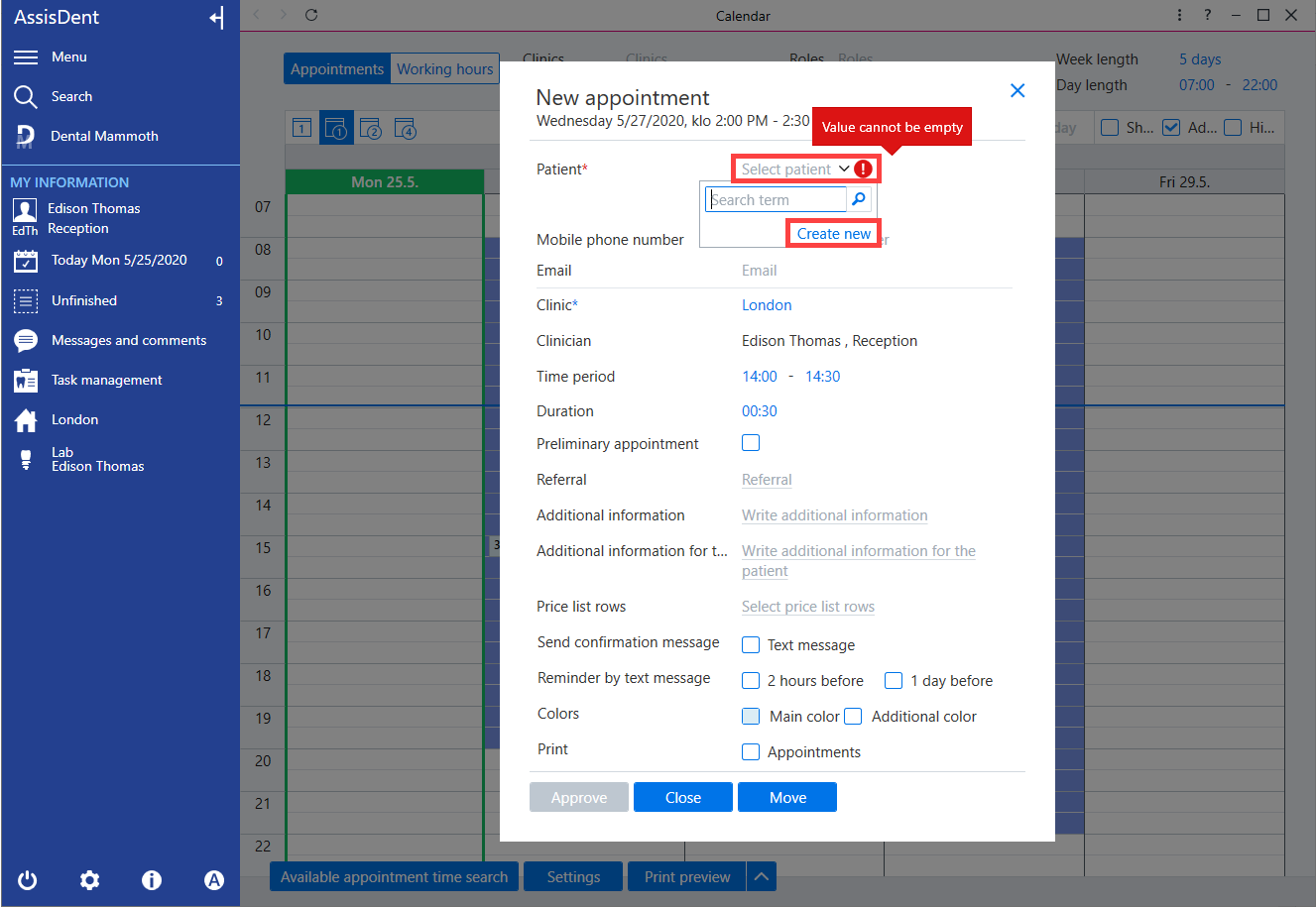
When creating a new appointment, the details are entered into a pop-up window. Click the Select patient field and select Create new.
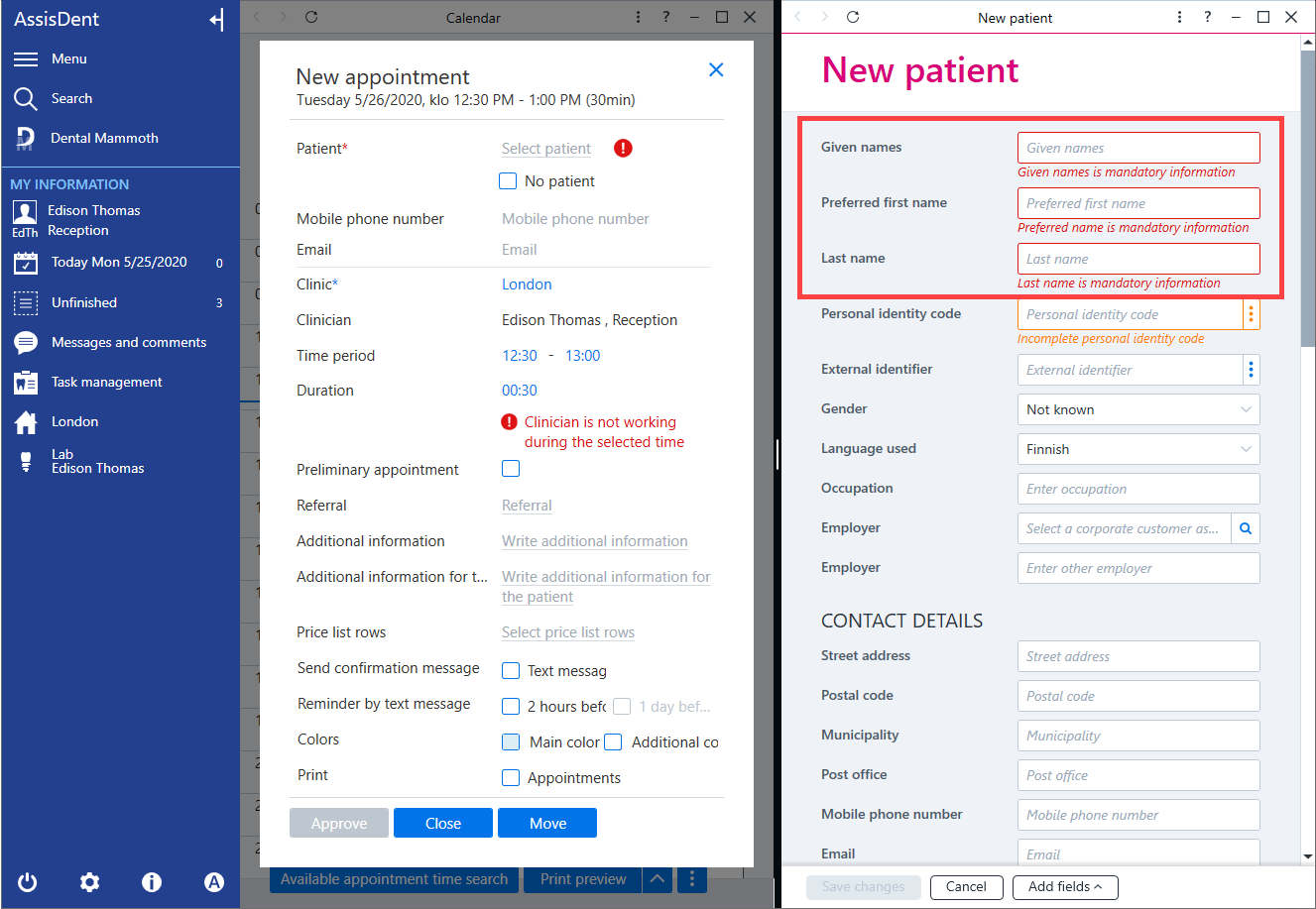
A patient card is displayed on the adjacent panel for entering the patient's personal data. Given name, preferred name and last name are mandatory.
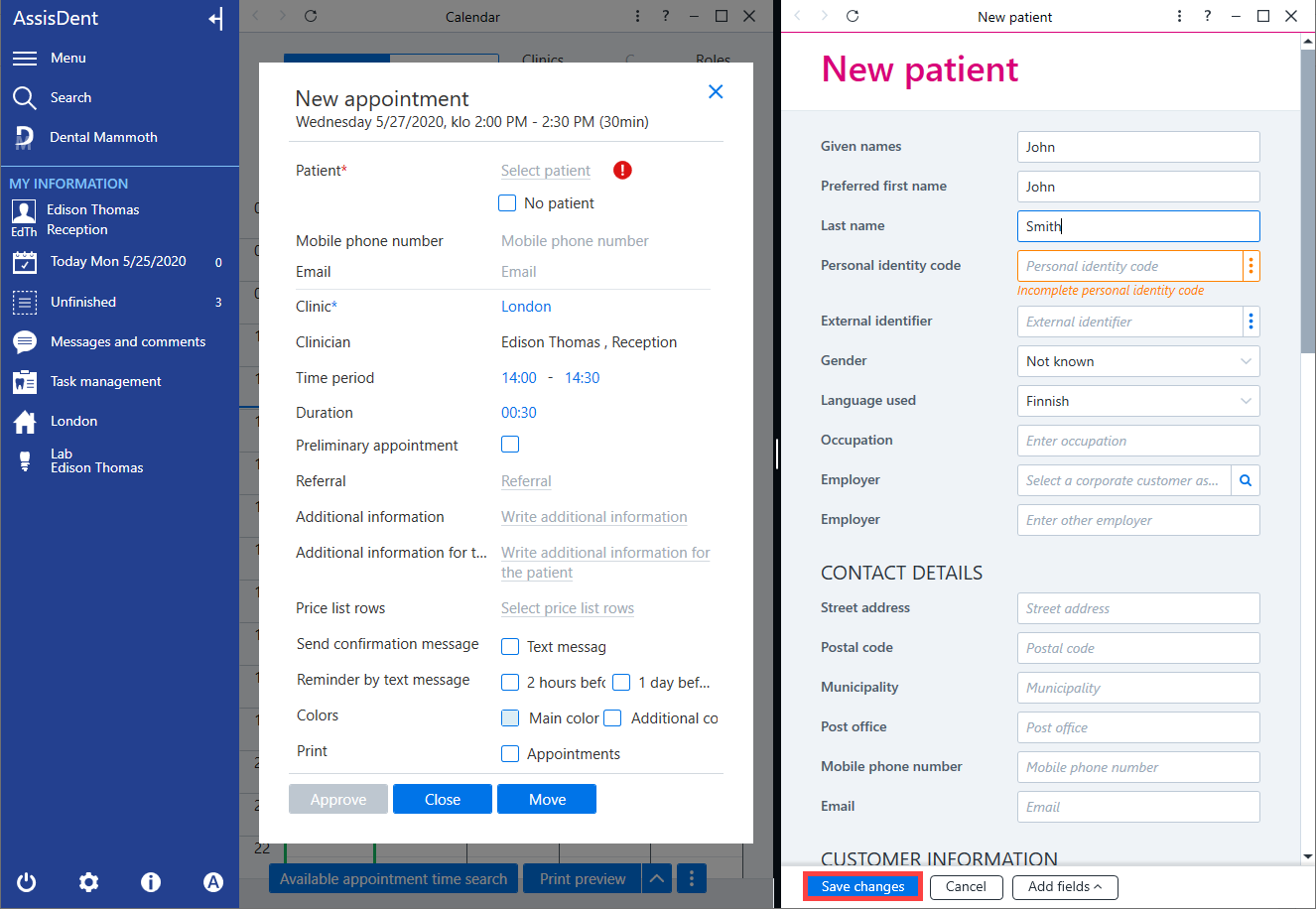
To save the patient, click Save changes on the bottom row.
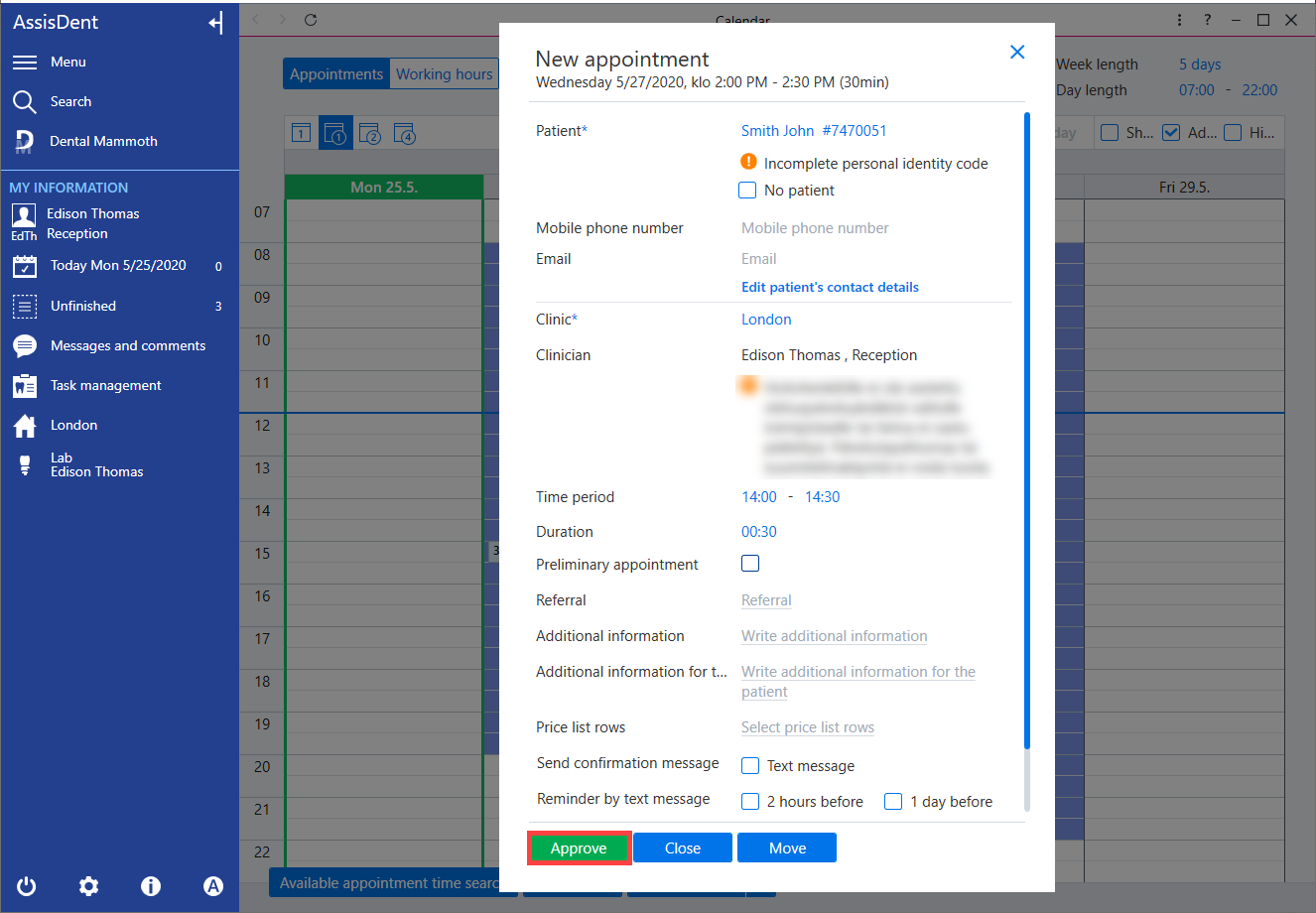
The new patient details are displayed in the appointment field. You can edit the appointment information and confirm the appointment.