On the calendar, patient appointment status is indicated by the color of the square displayed in the calendar and the circle next to the patient on the control panel. Please note: The status is displayed only if the patient has an appointment on the current day.
Appointment statuses are as follows:
 Has not arrived
 Will be late
 Arrived
 In treatment
 In invoicing
 Has left
 Uncancelled no-show
The same color coding is used in the reception view.
Patient status can be changed in the calendar by right-clicking the appointment and by selecting the necessary status under Change patient status.
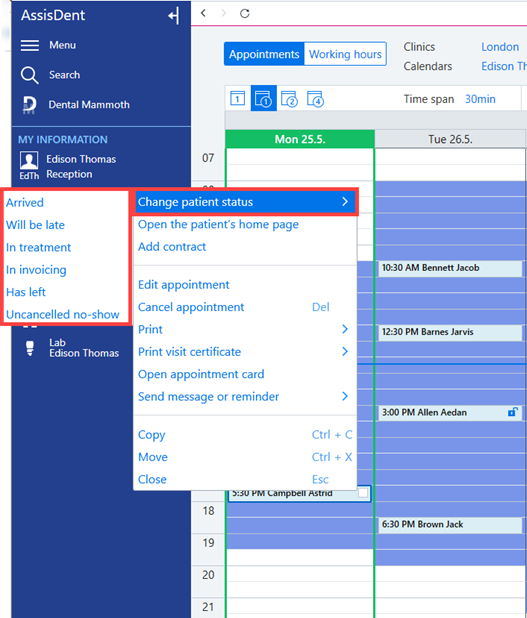
The status is automatically changed in the following cases:
- A document is opened for the patient → In treatment
- Procedures are approved for invoicing → In invoicing
- Procedures have been invoiced → Has left
Please note: If the status is Uncancelled no-show, the status does not change automatically.