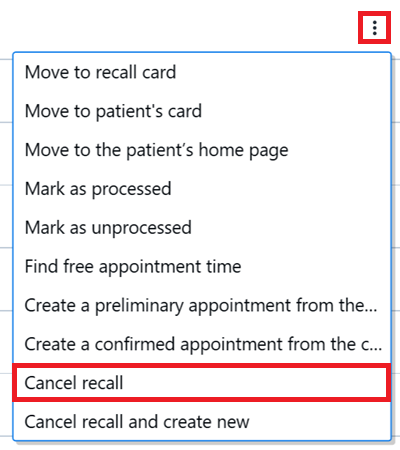
Recalls can be canceled in the recall register.
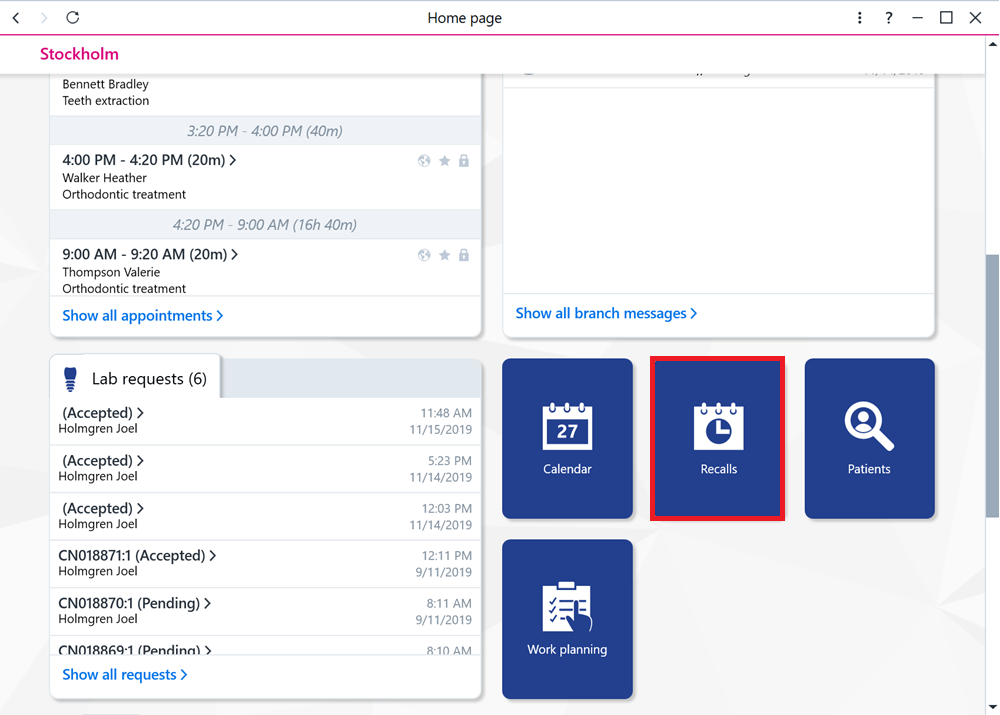
Start by selecting Recalls on the home page.
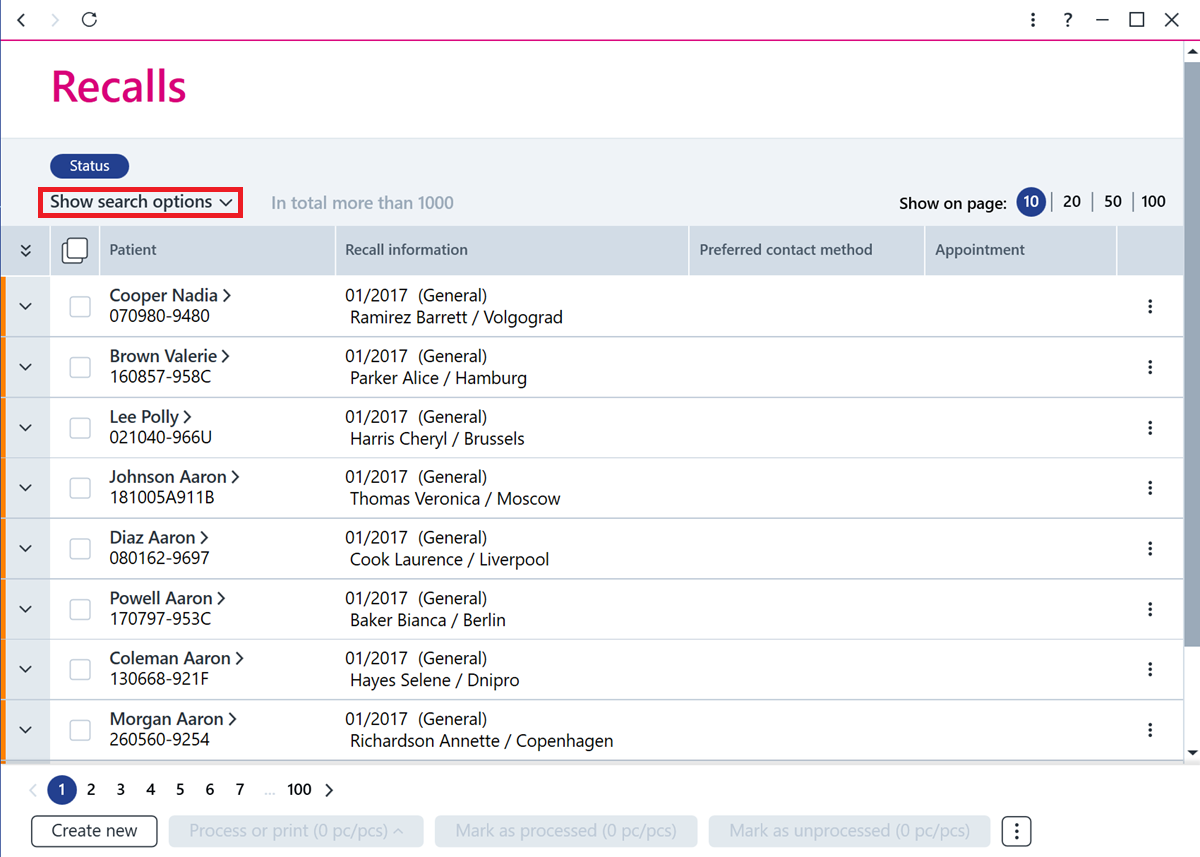
Find the recall you want to edit, using search criteria for example.
Select the recall or recall is that you want to cancel.
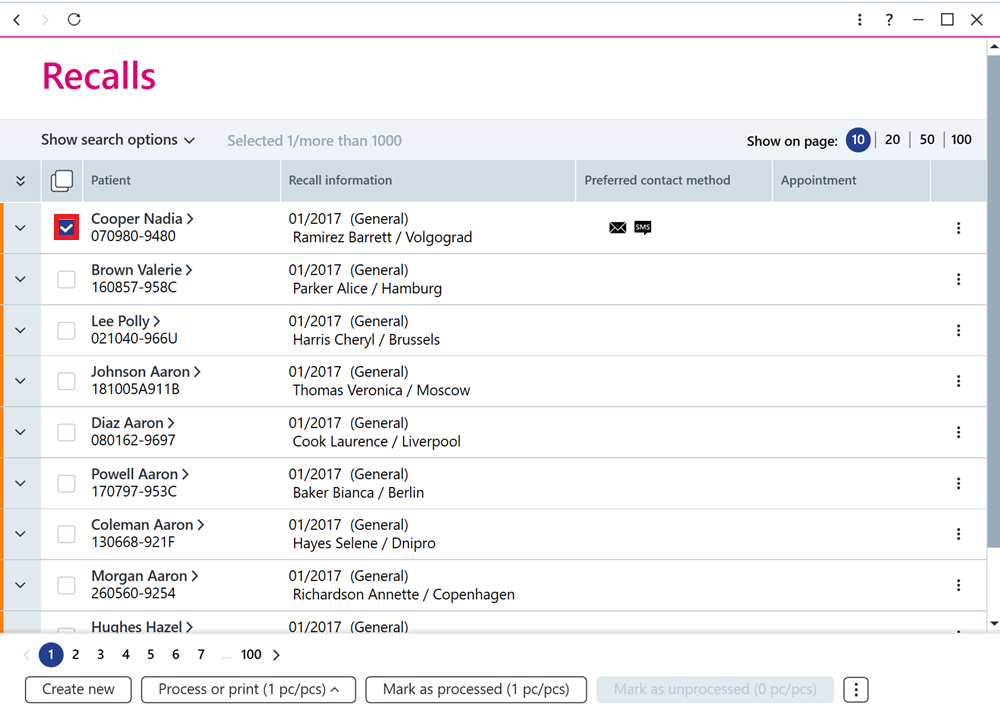
Click the ... button at the bottom and then select Cancel.
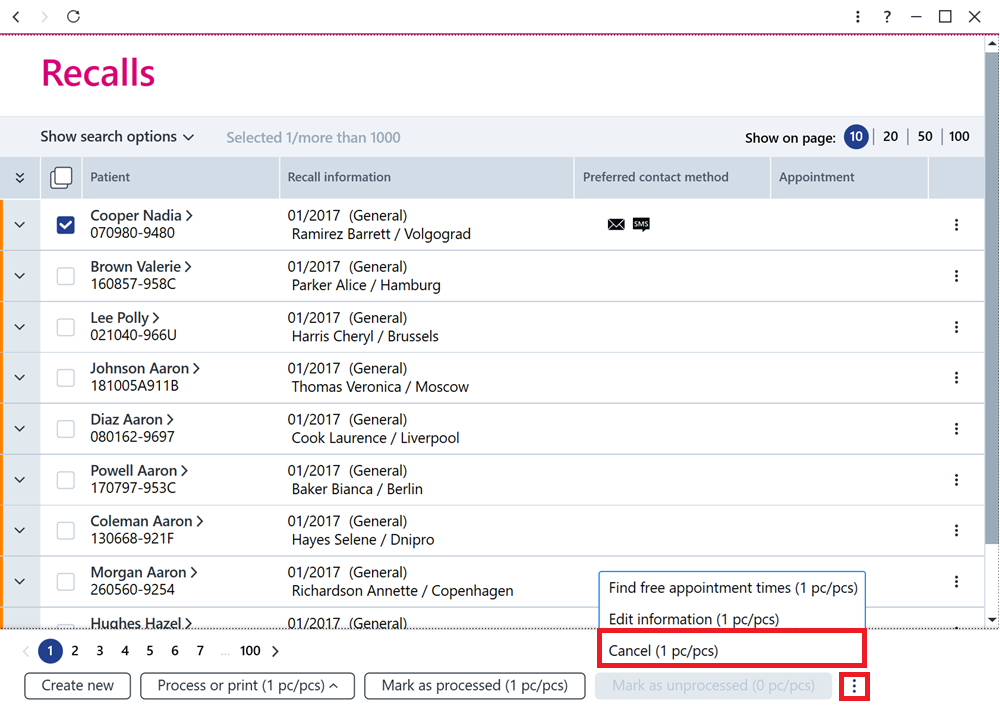
Alternatively, you can cancel an individual recall by clicking the Additional functions button at the end of the recall row and selecting Cancel recall.